

How AI Your Operations Course Can Streamline Your Workflow
Running a business sometimes feels like juggling flaming torches while riding a unicycle. You’re constantly switching between tasks, chasing down approvals, and wondering where that important client email went. Sound familiar?
Here’s what most business owners don’t realize: the problem isn’t that you need more hours in the day. The problem is that you’re doing work that machines should be handling.
That’s exactly what Sarah discovered when she joined our AI Your Operations Course. She was spending 3 hours every morning just moving data between her CRM, project management tool, and accounting software. Three hours. Every single day.
Fast-forward four weeks, and those same tasks happen automatically while she’s having her morning coffee. No more copy-pasting. No more “did I remember to update the client status?” panic at 11 PM.
This isn’t some far-off future scenario. This is happening right now, and it’s simpler than you think.

Why Most Business Owners Are Doing This Backwards
Here’s the thing most people get wrong about AI business automation: they jump straight from “I need to automate this” to trying to set up random connections in Zapier. It’s like trying to build a house without blueprints. You might get something that stands up, but it probably won’t be pretty (or functional).
Most agencies and small businesses skip the most important step entirely. They don’t map out their current processes before trying to automate them. It’s like trying to give someone directions to your house when you don’t know your own address.
During our live sessions, one student had a lightbulb moment: “I realized our approval process had way too many back-and-forth steps that were slowing everything down.” Another discovered they were losing client feedback because comments were scattered across different platforms.
These aren’t just operational hiccups they’re profit leaks. Every extra approval loop, every missed comment, every “wait, where did we put that file?” moment costs you real money.
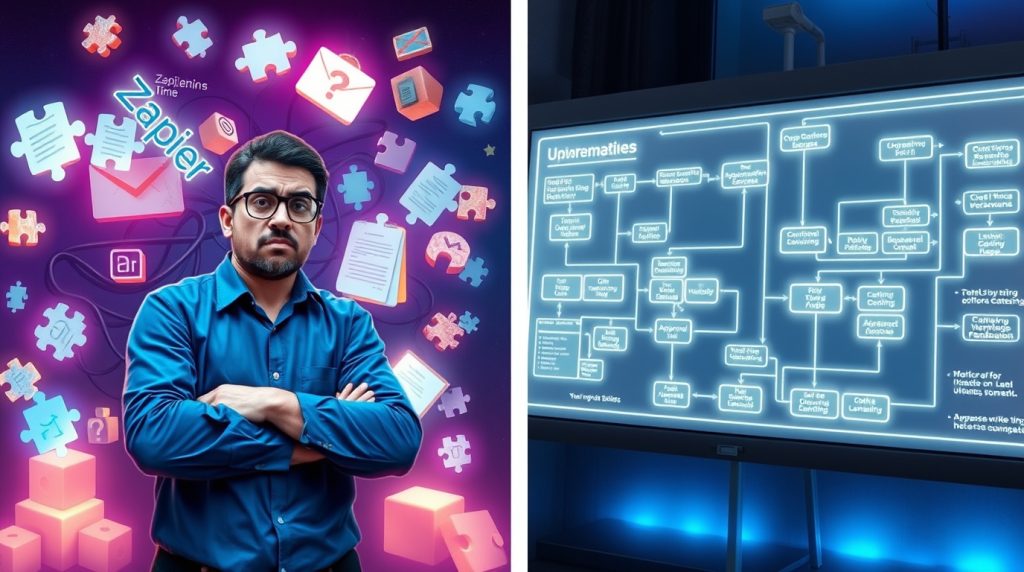
The Four-Step Framework That Actually Works
Over the past year, we’ve taught hundreds of business owners how to integrate AI for operations using our proven four-step approach. It’s not flashy, but it works because it forces you to think before you automate.
Step 1: Define Your Current Reality
Before you can fix something, you need to know exactly how broken it is. This means getting brutally honest about your workflows.
Take Daniel, one of our students. He thought his sales process was “pretty straightforward.” Then he mapped it out and realized he was manually creating lead entries from 15-20 sales emails every single day. That’s nearly two hours of copy-pasting that could be eliminated entirely.
The Define stage is where you identify your workflows, pinpoint the inefficiencies, and set clear goals for what you want to achieve. It’s less exciting than building automations, but it’s absolutely critical.

Step 2: Design Your New Process
This is where the magic happens. You take those messy, “we figured it out as we went” processes and turn them into something AI and automation can actually work with.
Holden, another course participant, shared something that clicked for everyone: “I asked the AI to ask me all the questions possible so I could fill this out properly.”
That’s the mindset shift we’re after. Instead of assuming you know all the steps in your process, you start asking the hard questions:
- What specific actions happen at each step? (Not just “review the work”—but who reviews what, using which tools, and what happens next?)
- Which tools handle each task? (Are you bouncing between Asana, Canva, Slack, and email? Time to map those connections.)
- Who’s actually responsible for what? (This is where frameworks like RACI become your best friend Responsible, Accountable, Consulted, Informed.)
The Design stage is where you build detailed SOPs and map out workflows to seamlessly integrate AI into your processes.

Step 3: Develop Your Tech Stack Connections
Now comes the fun part actually building the automations. But because you’ve done the groundwork in steps one and two, this becomes straightforward rather than overwhelming.
Daniel set up a Zapier automation that triggers when he labels a sales email in Gmail. The system pulls the business name from the subject line and automatically creates a new lead in his Notion tracker. Just like that, a manual, time-consuming step became a seamless, automated workflow.
We focus on connecting your core tools Gmail, Notion, Asana, Slack, payment systems like Stripe so data flows effortlessly between them. Students see firsthand how an email can trigger a CRM entry, which then sends a team notification, all without any manual intervention.
The key insight here? For automations to run smoothly, your inputs need to be consistent. This means standardizing things like email subject lines or labels. We use tools like Zapier’s Filter and Formatter functions to clean up data before it moves between systems.

Step 4: Deploy and Monitor for Success
Here’s where most people think they’re done, but deployment is actually just the beginning. Moving from a test environment to the real world often reveals unexpected quirks.
Daniel had his Gmail-to-Notion automation working perfectly in tests. But when he went live, nothing happened. The problem? His trigger was set to “new label” instead of “new labeled email.” A tiny difference that broke everything.
Real-world deployment means validating that your automation works with actual data, not just perfect test scenarios. It also means building in safeguards for when things go wrong.
Greta was building an automation to create invoices from a web form. But what happens if someone submits the form without actually ordering anything? You don’t want blank invoices floating around.
We added conditional logic to her workflow telling the system to skip if certain fields were empty. This kind of error handling accounts for real-world messiness.

The Difference Between Simple Automations and AI Agents
One thing that surprised our students was learning about the difference between classic automations and newer AI-powered agents.
Classic automations are linear: “if this happens, then do that.” They’re perfect for straightforward tasks like moving data between systems or sending notifications.
AI agents, on the other hand, can handle more complex tasks that require logic and memory. Think parsing a LinkedIn profile for sales outreach or analyzing customer feedback to determine next steps.
This helped our students see where to start with simple AI workflow automation and where more advanced AI for small businesses could be applied down the road.
Why Quality Control Isn’t Optional
Building an automation isn’t a “set it and forget it” proposition. Software updates can break integrations without warning. Tools change their APIs. What worked perfectly last month might fail silently this month.
That’s why we teach students to set up regular check-ins at least quarterly to make sure everything is still connected and running smoothly. We also build in human checkpoints for sensitive areas like client communication or invoicing.
As one of our facilitators puts it: automating a bad process just “puts gasoline on the fire.” The goal isn’t to make broken systems faster it’s to create better systems that happen to run automatically.
Real Results from Real Students
The students who get the best results from our course aren’t necessarily the most tech-savvy. They’re the ones who commit to following the framework and putting in the work to understand their processes first.
Sarah, who we mentioned earlier, now has three hours every morning to focus on growing her business instead of moving data around. Daniel closes more deals because he never misses a follow-up. Greta’s invoicing happens automatically, so she gets paid faster.
These aren’t dramatic transformations that happened overnight. They’re the result of systematically identifying inefficiencies and replacing them with smart automation.
Ready to Stop Working So Hard?
The AI Your Operations Course starts October 2nd and runs for four weeks. You’ll join live Zoom sessions where we walk through the entire Define, Design, Develop, and Deploy framework together.
This isn’t just theory you’ll actively build automations and put them into action during the course. By the end of four weeks, you’ll have working systems that optimize your workflows from start to finish.
The investment is $997 for all four live classes, and honestly, if you save just two hours per week, you’ll make that back in less than a month.
But here’s what really matters: you’ll finally have systems that work for you instead of the other way around. No more drowning in manual tasks. No more wondering where important information went. No more working until 11 PM because you spent the day on work a computer should be handling.
Join AI Your Ops – $997 for 4 Live Classes
The choice is yours. You can keep juggling those flaming torches, or you can build systems that let you focus on what actually moves your business forward.